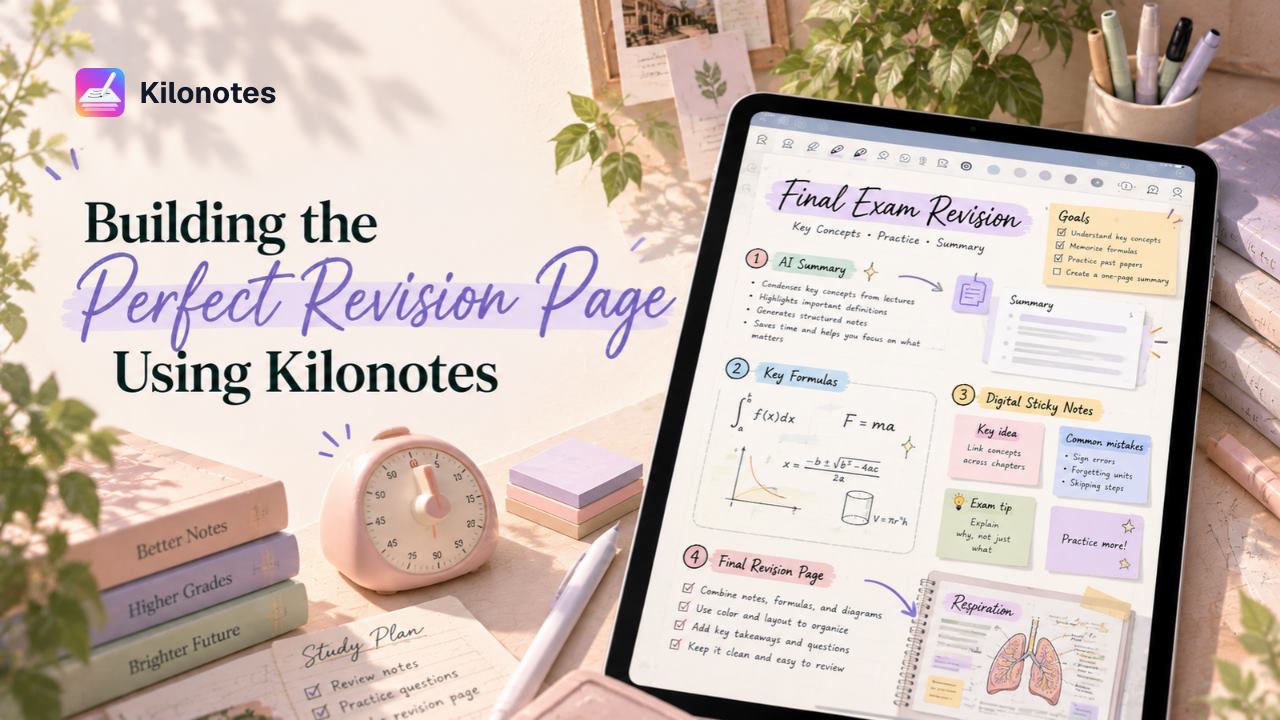
A revision page has limited space and an important job. It should help you find the central ideas, check your understanding, and decide what to practise next.
Trying to squeeze an entire chapter onto one page usually makes all three harder.
Start with a smaller target: one topic, one learning objective, or one type of exam question. Then build a page around what you need to explain or do.
Kilonotes’ Study Page Builder is described as bringing summaries and practice together on a revision page. The layout below gives that page a clear purpose. Kilonotes Features.¹
Define the question the page should answer
Replace a broad title such as “Statistics Revision” with something specific, such as “Choosing and interpreting a confidence interval.”
Under the title, write a short learning goal:
“Explain what the interval means, identify the assumptions, and interpret a result in context.”
That goal helps you decide what belongs on the page. Material that serves a different objective can go elsewhere.
Keep a source reference nearby—lecture title, slide numbers, or textbook section—so you can return to the full explanation.

Build four clear sections
Core ideas
Write the few concepts needed to understand the topic. Define unfamiliar terms and preserve conditions or exceptions that change the meaning.
A worked example
Choose an example that shows the reasoning. Annotate why each step is necessary rather than displaying only the final answer.
Questions to answer
Add prompts that require you to explain, compare, calculate, or apply the material.
Errors and next steps
Leave space for mistakes discovered during practice and questions to ask your lecturer.
This last section makes the page useful after the first study session. It records what still needs attention.
Use summaries as a starting point
If you use an AI-generated summary, compare it with the original material before placing it on the page.
Check definitions, numerical details, exceptions, and the lecturer’s emphasis. A short summary can omit the condition that makes a rule applicable.
Rewrite any sentence you could not explain aloud. If you cannot yet express the idea clearly, keep the question visible instead of hiding it inside polished wording.
Make examples and diagrams earn their space
A diagram should show a relationship that is difficult to explain briefly. A worked example should demonstrate a decision or process.
For an essay subject, use a claim, a piece of evidence, and a limitation. For a calculation-heavy topic, show the setup and the reason for choosing the method.
Avoid shrinking everything to fit. If the example needs more room, give it another page.

Test the page before calling it finished
Cover the explanation and attempt the questions. Rework the example with a different input or explain what would change under another assumption.
Mark what you answered independently and what required help. Then schedule another attempt.
The page is ready when it supports that cycle, even if the headings are simple and a few corrections remain visible.
Start a revision page in Kilonotes using one topic from this week’s lectures. Give yourself a small, useful study resource you can improve as you practise.
Footnotes
¹ Source: Kilonotes. “Features & Plans.” Accessed 21 October 2026. https://www.kilonotesapp.com/en/product