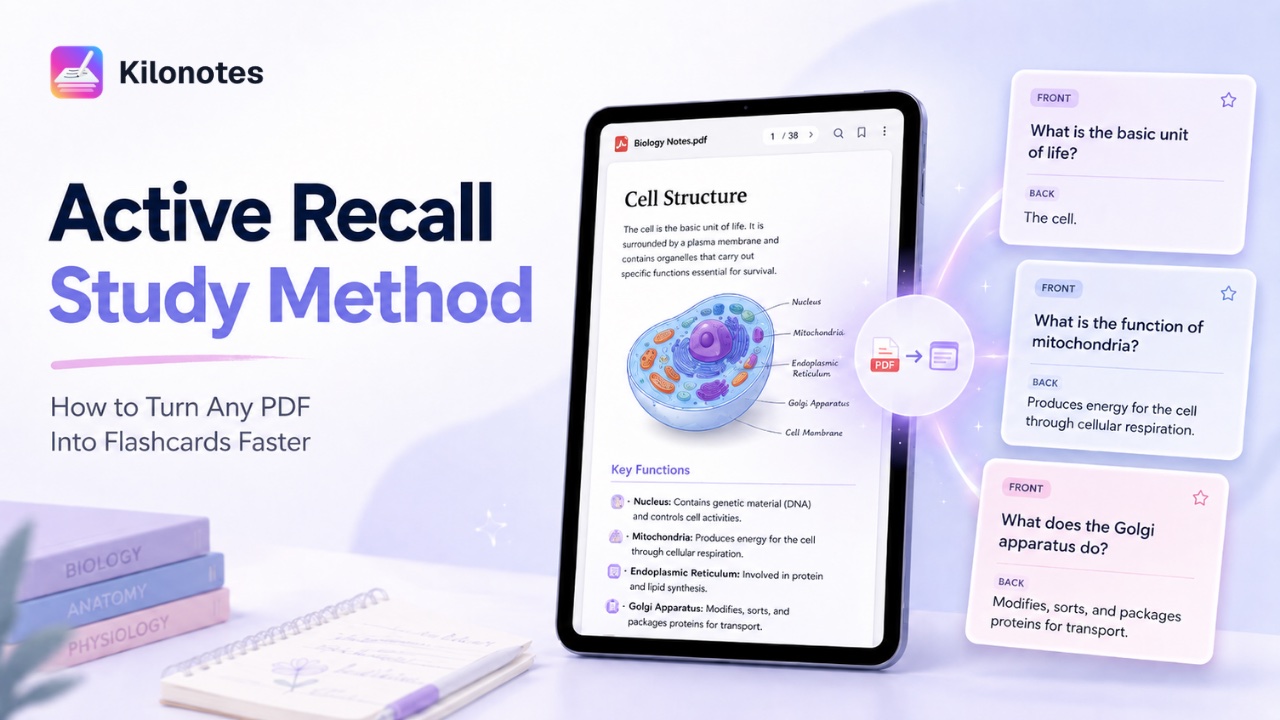
If you have ever finished reading a PDF and thought, “I looked at all of this, so why can’t I remember it?”, you are not alone.
A lot of students spend hours rereading lecture slides, highlighting textbook PDFs, and skimming handouts again before exams. It feels productive in the moment, but it often does not lead to strong recall later. You recognize the page. You remember seeing the topic. But when it is time to answer a question on your own, everything suddenly feels fuzzy.
That is where active recall helps.
Instead of just looking at information again, active recall pushes you to bring the answer back from memory. And one of the easiest ways to do that is by turning the PDFs you already have into flashcards you can review quickly.
If most of your study materials already live in digital notes and PDFs, this is also a much more practical way to study than starting from scratch every time.
What is active recall, and why does it work?
Active recall is a study method where you test yourself instead of just reviewing the material passively.
That means instead of reading the answer over and over, you pause and ask yourself a question:
- What does this term mean?
- What are the main causes?
- What formula do I use here?
- Can I explain this concept without looking?
That small shift makes a big difference.
When you force your brain to retrieve the answer, you are practicing the exact skill you need in a real quiz or exam. You are not just trying to feel familiar with the material. You are training yourself to actually bring it back when needed.
This is one reason active recall usually works better than simple rereading. Rereading can make content feel familiar, but familiarity is not the same as recall.
Why PDFs often turn into passive study traps
PDFs are useful, but they also make it very easy to fall into passive studying.
You open a reading packet. You highlight a few lines. Maybe you underline a definition or add a note in the margin. Then you move on and tell yourself you studied.
The problem is that this still keeps you in input mode. You are looking, marking, and recognizing, but you are not doing much retrieval.
This is especially common with:
- textbook chapter PDFs
- lecture slides exported as PDFs
- class handouts
- revision packets
- reference documents for online courses
A lot of students know they should be making flashcards or testing themselves more. The real problem is that building those review tools manually takes time. And when school gets busy, that extra step is the first thing people skip.
A faster active recall workflow: turn your PDF into flashcards
If you want to study a PDF more efficiently, the goal is simple: stop treating it like something you only read and start turning it into something you can review actively.
A much better workflow looks like this:
- Start with the PDF you already have
- Pull out the core knowledge points
- Turn those points into cards
- Test yourself with questions and answers
- Repeat in short review sessions
This works better because it moves you from passive exposure to active testing.
Instead of rereading the whole document every time, you narrow the material down into the ideas that matter most. Then you practice retrieving them.
That is also why active recall works so well for exam prep. It helps you spend less time going over the same pages and more time checking whether the information is actually sticking.
If you are already looking for a more efficient digital workflow, you can also explore our guide to the best note-taking app for students, especially if you want one place for notes, PDFs, and review.
How Kilonotes helps turn a PDF into flashcards faster
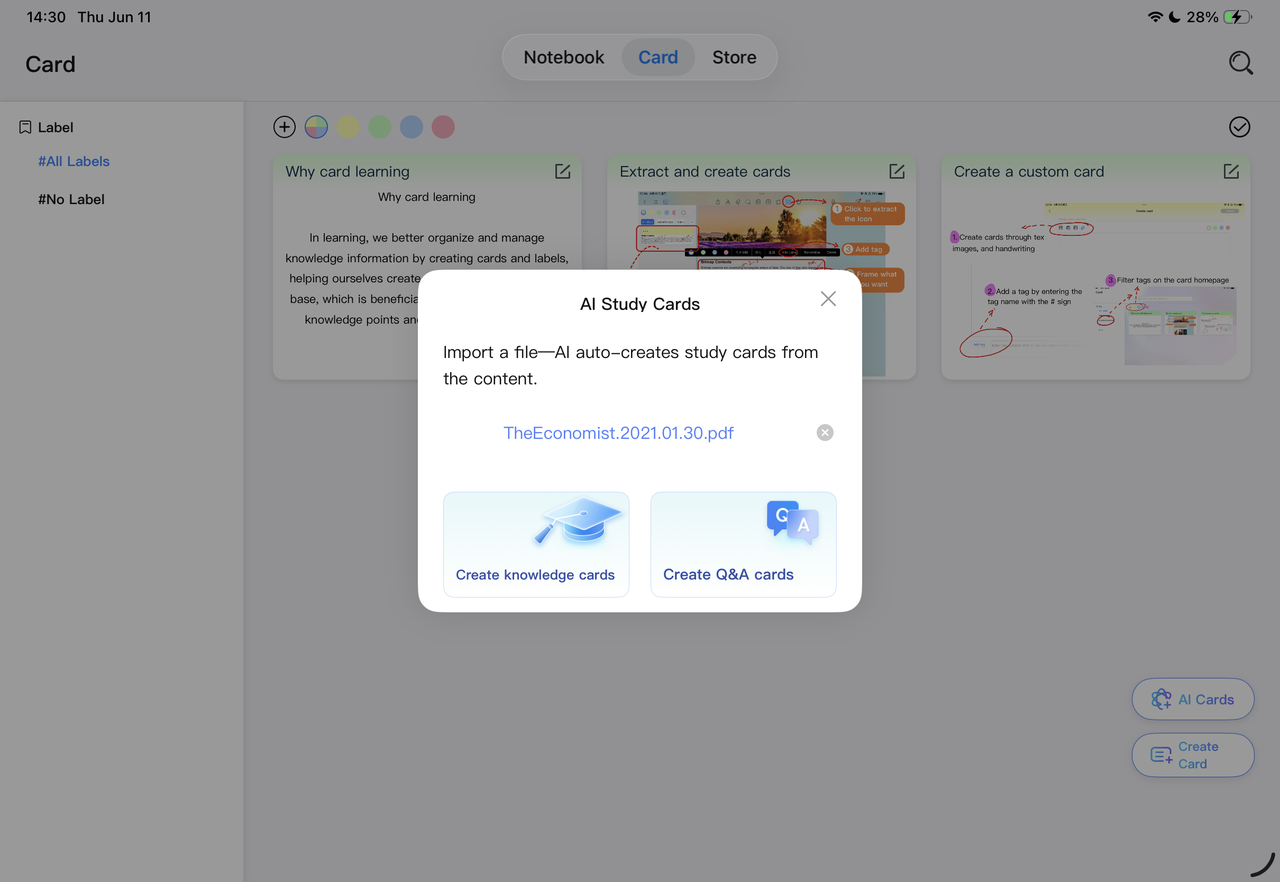
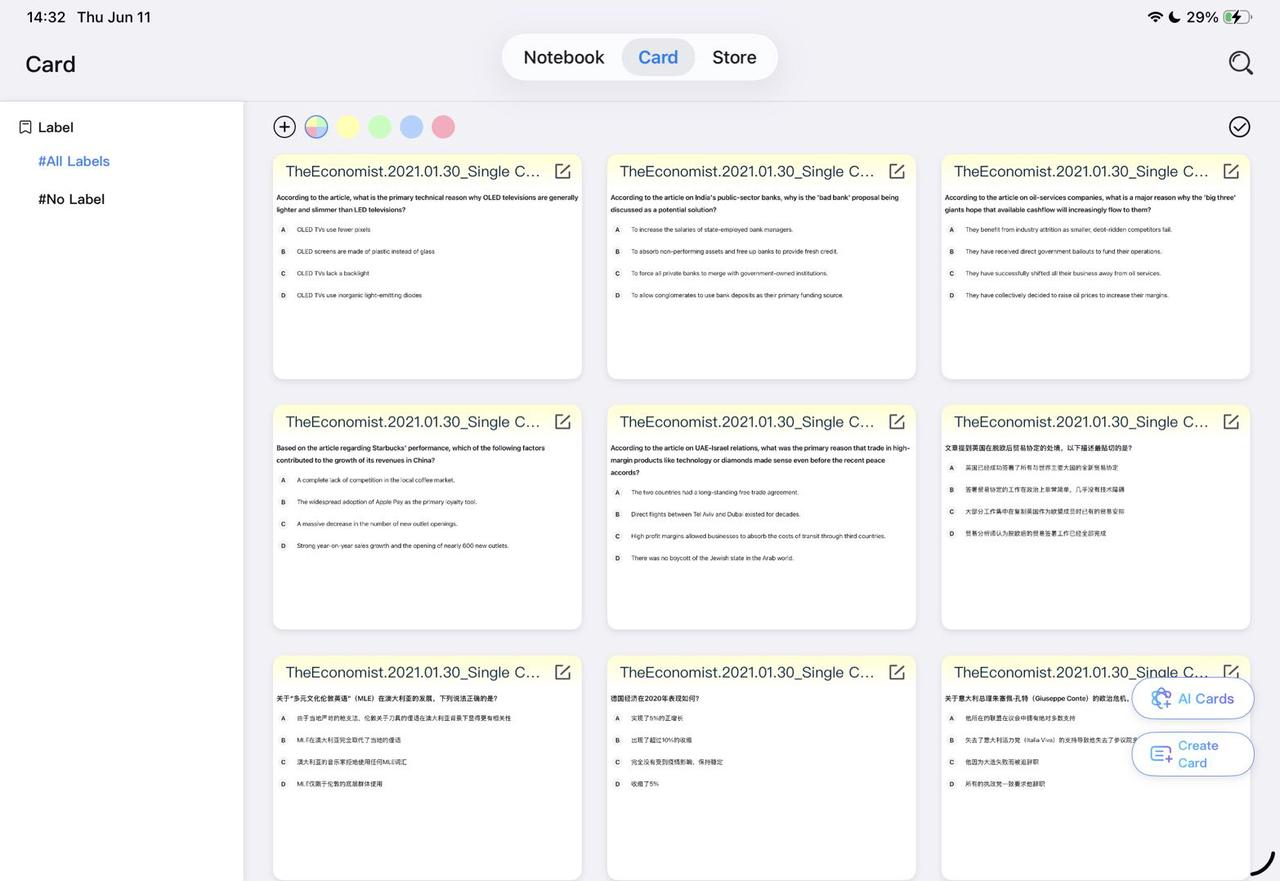
This is where the new Kilonotes card feature becomes useful.
With the new feature, you can upload a PDF document, and AI will automatically extract the core knowledge points and generate knowledge cards and Q&A cards with one click.
That means you do not have to start from a blank page every time.
Instead of manually rewriting a whole reading into study material, you can start with the PDF you already have and turn it into something much easier to review. This makes it faster to spot the key points, build flashcards, and get into active recall sooner.
If you want to explore more tools that help turn class materials into something easier to review, you can also read our guide to the best AI notes app for students.
How to use the new card features for better active recall
The new card update becomes even more helpful when you use it intentionally.
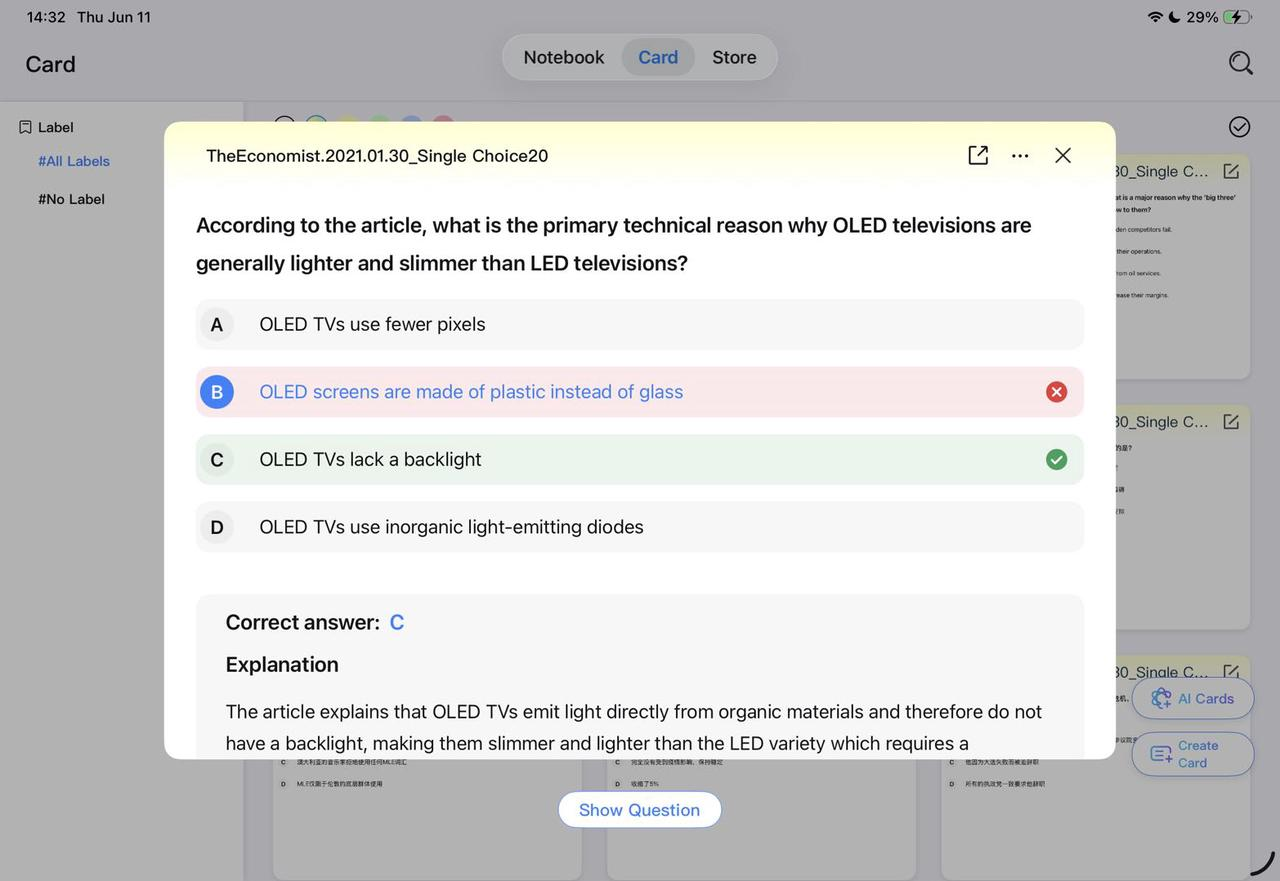
Use double-sided cards to test yourself properly
Double-sided cards make active recall feel much cleaner.
On one side, you can place the question, term, prompt, or concept. On the other side, you keep the answer, explanation, or definition.
That sounds simple, but it matters. The clearer the split between prompt and answer, the easier it is to test yourself honestly.
Good examples:
- “What is the function of mitochondria?”
- “What caused this historical event?”
- “What formula is used here?”
- “What are the main stages of this process?”
- This makes review feel closer to actual retrieval practice and less like just glancing through notes.
Use custom card colors to organize by topic
Card colors are not just for looks. They can make review easier too.
For example, you could use:
- one color for definitions
- one color for formulas
- one color for essay points
- one color for tricky concepts you want to revisit more often
- This can be especially helpful when you are reviewing several chapters or subjects at once.
If visual organization matters to you, you might also like our guide to aesthetic notes on iPad, which focuses on making notes look good while still keeping them useful for revision.
Use swipe review for faster study sessions
One of the easiest ways to keep active recall practical is to make it feel light enough to repeat often.
That is why quick swipe navigation matters. When you can switch cards by swiping left or right, review feels smoother and more natural. It is easier to do a short session between classes, before bed, or right before a quiz.
Sometimes the best study method is not the most complicated one. It is the one you will actually keep using.
What makes a good flashcard from a PDF?
Not every sentence in a PDF deserves to become a card.
Good flashcards are:
- focused on one idea
- easy to understand at a glance
- written as a real prompt, not just copied text
- useful for testing memory, not just recognition
- A few good examples:
- What is the role of chlorophyll in photosynthesis?
- What are the three branches of government?
- What formula is used to calculate acceleration?
- What are the key steps in cellular respiration?
- Less useful examples:
- cards with huge blocks of text
- vague prompts that could mean anything
- copied paragraphs with no clear question
- cards that test too many ideas at once
The goal is not to turn every page into hundreds of cards. The goal is to make cards that help you actually retrieve what matters.
When this method works best
This workflow is especially useful:
- after finishing a lecture PDF
- after reading a textbook chapter
- before a quiz
- while building an exam review set
- when you notice you are rereading without remembering much
- It is also a strong fit for students who already work digitally and want a smoother way to move from reading into self-testing.
If that sounds like you, Kilonotes can also support the rest of your workflow beyond cards, especially if you already use iPad note-taking or want to move between handwritten notes and cleaner typed study material with handwriting to text.
Active recall is easier to stick with when setup takes less time
A lot of students do not avoid active recall because they think it is a bad method.
They avoid it because setting it up can feel tiring.
You already spent time reading the PDF. Then you have to figure out the key points. Then you have to rewrite them. Then you have to build cards from scratch. By that point, it is easy to give up and just reread instead.
That is why this kind of feature matters.
When you can upload a PDF, pull out the core ideas, and turn them into cards faster, active recall becomes much easier to start. And when it is easier to start, it is much easier to keep doing consistently.
Final takeaway
If you already study from PDFs, you do not need to start from scratch to use active recall.
A better approach is to take the material you already have and turn it into something you can test yourself with. That is what makes flashcards so useful. They shift you from passive reading into active review.
And when that process becomes faster, it becomes much easier to use in real student life.
That is what makes this update practical. It helps turn PDFs into something more than reference material. It helps turn them into review tools.
FAQ
What is the active recall study method?
It is a study method where you try to retrieve information from memory instead of only rereading it. That usually means using questions, prompts, or self-testing.
Why is active recall better than rereading?
Because it trains retrieval. Rereading can make content feel familiar, but active recall helps you practice bringing the answer back on your own.
Can I turn a PDF into flashcards?
Yes. A faster way to do this is to extract the core ideas from the PDF and turn them into question-and-answer cards for review.
What makes a good flashcard for studying?
A good flashcard focuses on one idea, uses a clear prompt, and helps you test memory rather than just recognize the answer.
How can I study a PDF more efficiently?
Instead of only reading and highlighting, turn the key ideas into review cards and test yourself in short sessions.