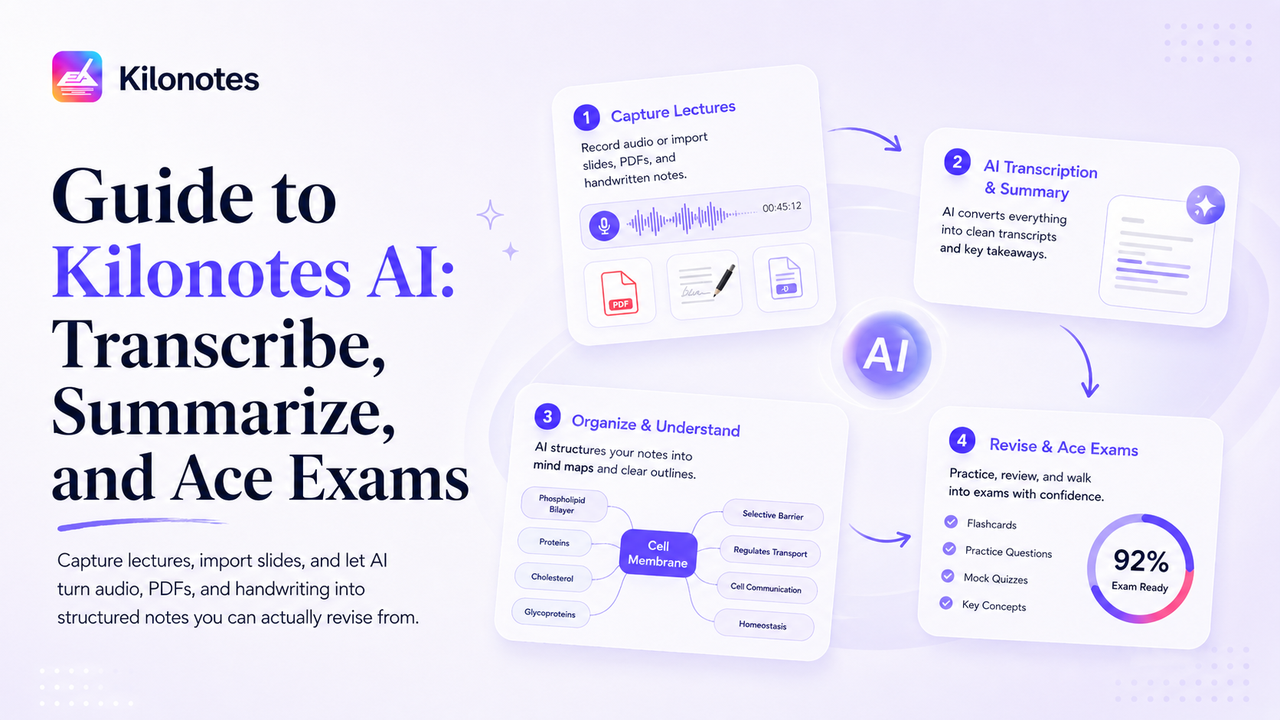
Most note-taking apps treat AI as an afterthought — a button bolted onto a digital notebook. Kilonotes was built the other way around. The AI Smart Assistant sits at the center of the whole workflow, designed to do one thing exceptionally well: take the raw, messy material you collect in class and turn it into clean, structured study notes you can actually revise from.¹
This guide is a complete walkthrough of what the Kilonotes AI can do and exactly how to use it — from recording a lecture to generating an AI mind map in seconds, without rewriting a single word.
If you're still deciding whether AI lecture tools are worth it, start with Can AI Summarize Lectures? The Best Study Tools for Students. Already convinced? Read on.
What is the Kilonotes AI Smart Assistant?
Kilonotes is a student-first, AI notes app for iPad and Android. Its AI features work across everything you bring into the app — handwriting, PDFs, and lecture audio — and turn that input into structured summaries, outlines, and mind maps.¹
The core idea is simple: capture raw in class, let AI organize after class. You stop wasting evenings recopying notes, and you spend that time reviewing instead. Here's how each piece works.
Step 1: Capture the lecture (record audio + import slides)
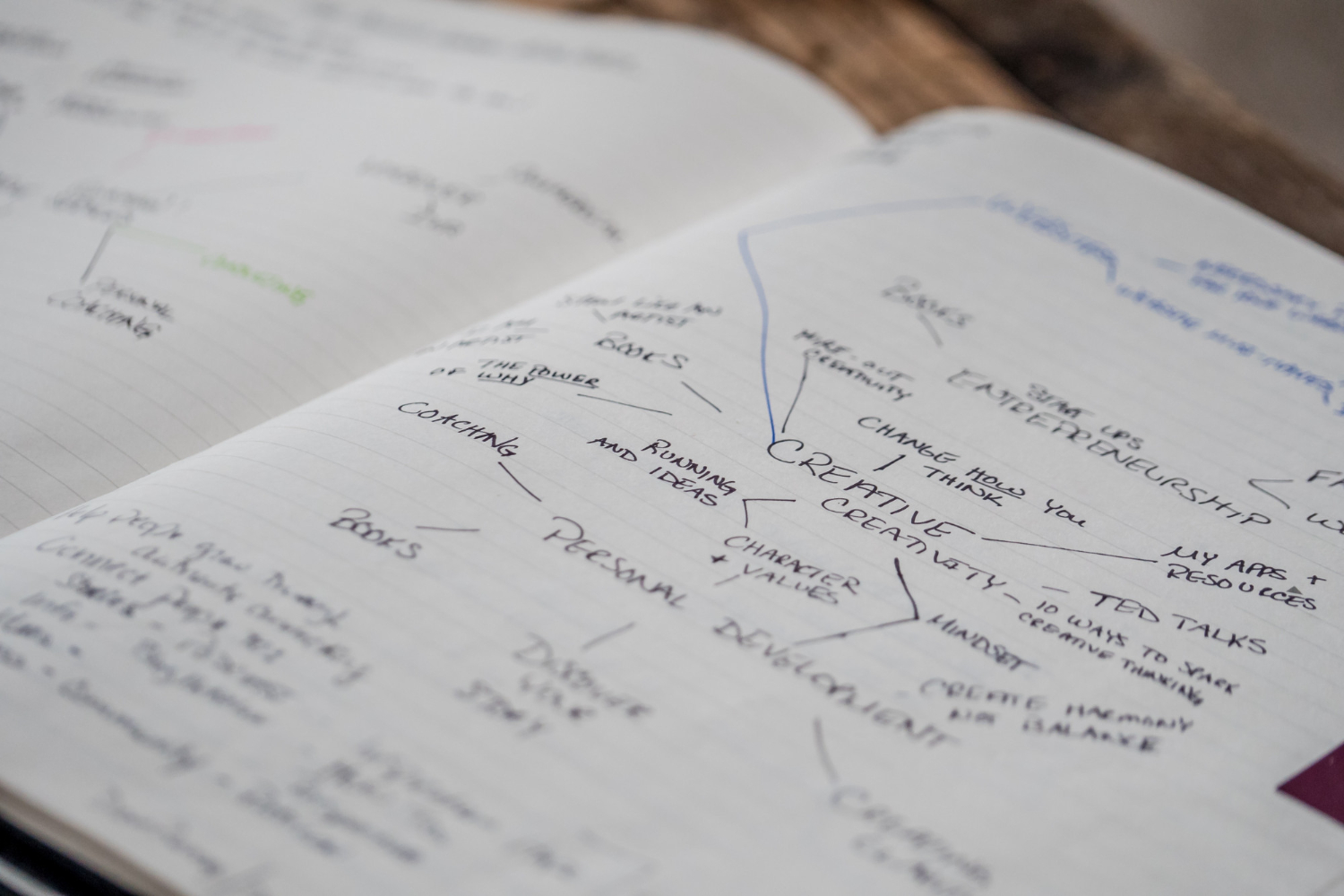
Studying well starts with capturing well — and the trick is to capture everything without trying to be neat.
Record the audio. When class starts, tap record. Kilonotes captures the lecture audio while you take light handwritten notes alongside it. Because the recording is running, you don't have to write down every word — you can listen and think, flagging only what matters to you personally.
Import the slides. If your professor shares a PDF deck, import it straight into your notebook. You can annotate and highlight it by hand, and the AI can later pull key points directly from it.¹
Write naturally. Use your Apple Pencil or Samsung S Pen to jot notes with pressure-sensitive, low-latency ink. Messy is fine. Raw capture is the goal — the cleanup comes next, and you won't be doing it by hand.
Step 2: Transcribe and summarize with AI
This is where the AI Smart Assistant goes to work.
Transcription. Kilonotes AI transcribes your recorded lecture audio into text intelligently, so you have a full searchable record of what was said — not just the fragments you managed to write down.¹
AI Recap. With your recording, PDF, and handwriting all in one notebook, request an AI summary. The assistant extracts the key points across all of it and produces a clean, structured summary.¹ A sprawling hour-long lecture collapses into the handful of concepts that actually matter — automatically.
Because Kilonotes works across all your inputs at once, the summary reflects both what was said (from the audio) and what was shown (from the slides), giving you a far more complete picture than transcription alone.
Step 3: Generate an AI mind map or outline
Summaries are useful, but for a lot of students the real breakthrough is visual structure — and this is where the AI mind map generator shines.
From your raw notes, Kilonotes AI can automatically generate a mind map or hierarchical outline, exposing how concepts connect to one another.¹ This isn't just prettier — it works with the grain of human memory. We remember images and visual structure far more reliably than flat text, an effect researchers call the pictorial superiority effect, so a mind map gives your memory something far stronger to anchor to than a list of bullet points.² It takes seconds, and you didn't have to design a thing.
Step 4: Convert handwriting to searchable text
Your handwritten notes don't have to stay locked on the page. Kilonotes converts handwriting into editable text — math equations included — and applies the aesthetic font of your choice. Both your original handwriting and the converted text stay in the same document, and everything becomes searchable across all your notebooks.¹ Three weeks later, finding that one definition is a single search, not a frantic flip-through.
Step 5: Build your revision page and ace the exam
When exam season arrives, you don't start from scratch. Everything you need is already organized:
- AI summaries of every lecture, ready to review
- Mind maps showing how each topic fits together
- Searchable text so you can find any concept instantly
- Annotated PDFs with the key points already pulled out
Combine your summaries and practice material into clean, structured revision pages and review with focus instead of panic. And because the most effective revision is active — quizzing yourself and retrieving answers rather than just re-reading — these structured pages are built to be tested against, which is what actually cements the material before exam day.³ No re-watching lectures. No recopying. Just the studying that earns the grade.
For a complementary, method-first take on turning chaotic lectures into clean study pages, see How to Organize Your College Lectures with Kilonotes.
Free vs. Pro: what you get
Kilonotes is free to download and includes 5 notebooks plus basic AI, so you can try the full workflow before committing. The Pro version unlocks unlimited notebooks, the full AI Smart Assistant, custom fonts, exclusive page styles, and a range of advanced features.¹
A note on privacy
Because you're trusting Kilonotes with your actual coursework, it's worth saying plainly: Kilonotes does not access or collect the content of your notebooks to train its AI. Your notes stay on your device and sync through your chosen cloud service — your study material stays yours.¹
Put it all together
The Kilonotes workflow is short to describe and powerful in practice: capture raw in class, let AI transcribe and summarize, generate a mind map, and walk into the exam with structured notes you barely had to format. That's the whole point — less time on busywork, more time understanding.
Ready to stop rewriting messy notes and start studying smarter? Download Kilonotes for free and build your AI study workflow today.
Footnotes
¹ Source: Kilonotes, "Kilonotes — Handwriting Notes App with AI for Students". https://www.kilonotesapp.com/en
² Source: Douglas L. Nelson, U.S. Reed, and J.R. Walling, "Pictorial superiority effect". Journal of Experimental Psychology: Human Learning and Memory. https://www.researchgate.net/publication/22152101_Pictorial_superiority_effect
³ Source: Jeffrey D. Karpicke and Henry L. Roediger III, "The Critical Importance of Retrieval for Learning". Science. https://www.science.org/doi/10.1126/science.1152408