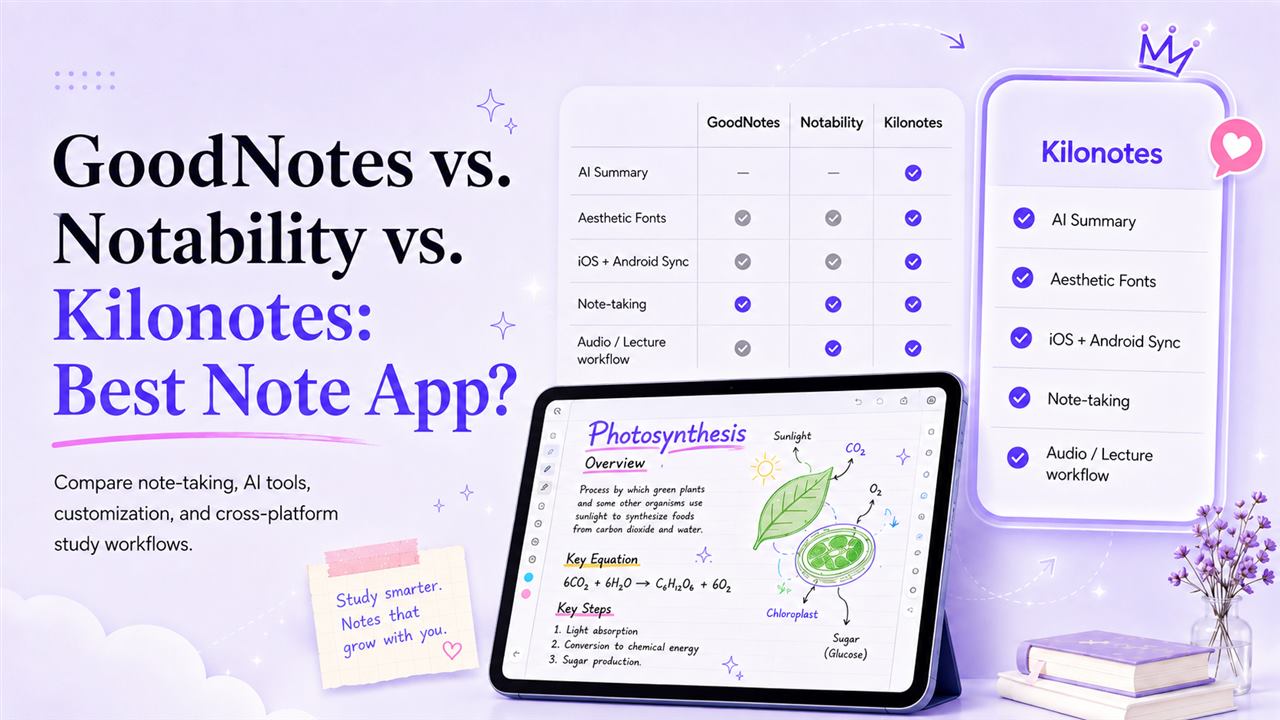
We should say upfront that we make one of the apps in this comparison. That's exactly why it's worth being straight with you: there are situations where GoodNotes or Notability is the better choice, and telling you otherwise would waste your time and cost us your trust.
All three are good apps. They're built around genuinely different ideas about what note-taking is for, and the right pick depends less on feature counts than on which of those ideas matches how you actually study.
This comparison covers what each one is best at, where each falls down, and how to decide in about two minutes.
Setting up a new device first? Start with The Ultimate iPad Setup & Essential Apps for University.
The short version
GoodNotes is the established all-rounder. If you want the safest, most familiar choice with the deepest template ecosystem, it's this one.
Notability is built around audio. If you record lectures and want the recording tied to your handwriting, nothing else does it as elegantly.
Kilonotes is built around the lecture-to-revision pipeline and visual customisation. If you want AI to turn messy notes into study material — and you care how your notes look — it's the closest fit.
Now the detail.
GoodNotes: the safe default
GoodNotes is the category leader for good reason. Handwriting feels polished, organisation is mature, and its first-party template marketplace is the best-stocked of the three.
Where it wins. Breadth. It's on iPadOS, macOS, Windows and Android, so it's the least likely to strand you if you change devices. The template ecosystem is genuinely useful — planners, Cornell layouts, subject-specific pages — and the app is stable and well-supported.
Where it falls short. It's a notebook first and a study tool second. AI features have arrived but they aren't the organising principle of the app, and customisation is largely about page templates rather than how your own writing looks.
Choose GoodNotes if you want a dependable digital notebook, you value the template library, or you're already deep into its ecosystem and switching would cost more than it gains.
Notability: built around audio
Notability's defining feature is recorded audio synced to your handwriting. Tap a word you wrote and it jumps to what the lecturer was saying at that exact moment.
Where it wins. That audio sync is the best implementation of the idea anywhere, and for some students it's transformative. If your lectures are dense and fast, being able to scrub back to the moment you scribbled something confusing is a genuine advantage. Its Notability Learn suite also generates study guides, quizzes and flashcards from notes, PDFs and recordings — a serious AI offering, not a token one.
Where it falls short. Its aesthetic customisation is the most limited of the three — you have less control over how converted text and pages actually look. The Android app is also brand new (it launched in August 2026, built natively rather than ported¹), so it has far less track record than the Apple version that has been refined for over a decade.
Choose Notability if you record most of your lectures and audio-linked notes are the workflow you want.
Kilonotes: built around the revision pipeline
Kilonotes starts from a different question — not "how do we make a good digital notebook," but "how do messy lecture notes become material you can actually revise from?"
Where it wins. Three things.
The AI pipeline is the point, not an add-on. Record, recap, structure, polish. It pulls key points out of recordings, PDFs and handwriting, then generates outlines and mind maps from raw notes and builds combined revision pages.
Custom fonts. Handwriting converts to editable text in a font you choose, with maths equations recognised — and both the original handwriting and the converted text stay in the same document.³ This matters more than it sounds: you're not choosing between keeping your handwriting and having searchable text.
A mature Android app. Full S Pen support, the complete AI pipeline, custom fonts, PDF annotation and handwriting search.² All three apps now run on Android — Notability arrived there in August 2026¹ and GoodNotes in 2023 — so this is no longer a question of availability but of maturity, and Kilonotes has been building for Android tablets considerably longer than Notability has.
Where it falls short. It's the newest of the three overall, so the template marketplace is smaller than GoodNotes'. And it doesn't do audio-linked scrubbing the way Notability does — it summarises recordings rather than letting you tap a word to jump to that second. If tap-to-scrub is your core workflow, Notability does it better.
Choose Kilonotes if you want AI that produces revision material rather than just summaries, you care about how your notes look, or you need real feature parity across iPad and Android.
If you're on a particularly heavy programme, why med and law students are switching to Kilonotes covers how this holds up at that volume.
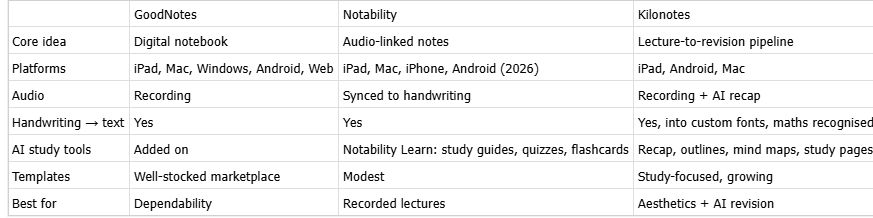
Side by side
How to actually decide
Answer these in order and stop at your first yes.
Do you record most lectures and want tap-to-scrub audio? Notability.
Do you mainly want a reliable notebook with great templates? GoodNotes.
Do you want AI to turn messy notes into revision material, and care how your pages look? Kilonotes.
On an Android tablet? All three are now available, but maturity differs — Notability's Android app launched in August 2026, GoodNotes arrived in 2023, and our walkthrough on annotating PDFs on Android with the S Pen shows what the workflow looks like in practice.
Still unsure? All three have free tiers. Use one for a fortnight of real lectures — not an evening of testing. Two weeks of actual use tells you more than any comparison table, including this one.
A note on switching: it's not free. Moving a semester of notes between apps is tedious, and the cost of switching in March is higher than the benefit of a marginally better app. If you're already settled and reasonably happy, staying put is often the right call.
Try it against your own notes
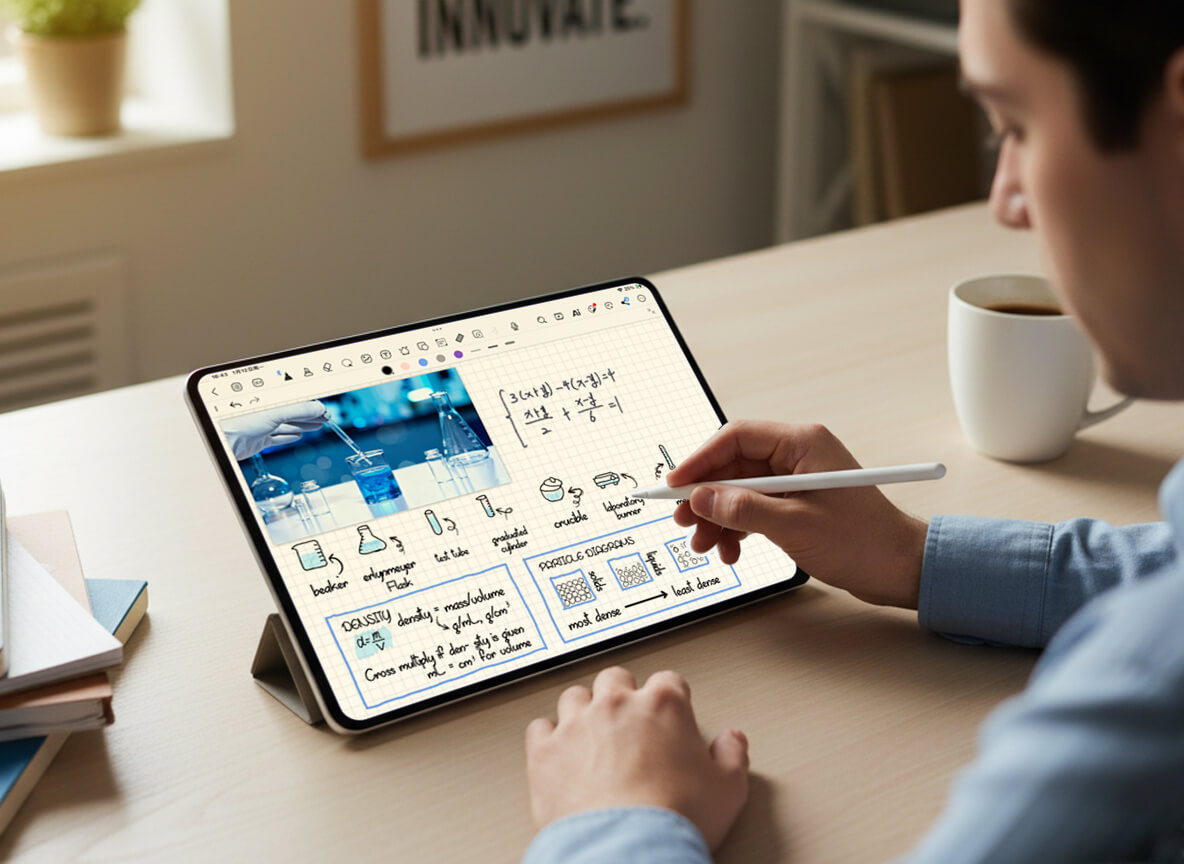
If the Kilonotes description sounds like your workflow, the honest test is your own lecture material — not a demo. Write a page of real notes at real speed, convert it to text, and see whether the output is something you'd actually revise from.
Download Kilonotes free on iPad or Android. Handwriting-to-text and the AI recap are available from day one, so you can run that test in an afternoon.
Footnotes
¹ Source: Ginger Labs, "Notability Brings Fully Native, AI-Assisted Note-taking To Android," 11 August 2026. https://www.businesswire.com/news/home/20260811736505/en/Notability-Brings-Fully-Native-AI-Assisted-Note-taking-To-Android
² Source: Kilonotes, "Kilonotes for Android." https://www.kilonotesapp.com/en/android
³ Source: Kilonotes, "How to Convert Handwriting to Text Quickly and Accurately." https://www.kilonotesapp.com/en/blog/how-to-convert-handwriting-to-text