Good notes do not just help you remember more. They also make it easier to come back, review faster, and actually want to open your notebook again.
That is why this iOS update is all about making your workflow smoother from start to finish. Whether you love handwritten notes, aesthetic pages, or using AI to save time after class, there is something new here for you.
Here is what is new in Kilonotes for iOS.
If you use Kilonotes for handwritten notes on iPad, this update brings more flexibility to how you write, organize, and review. It also stays close to the Kilonotes workflow of capture, structure, and revise.
New AI tools are now live on iOS
The biggest part of this update is the launch of new AI tools on iOS.
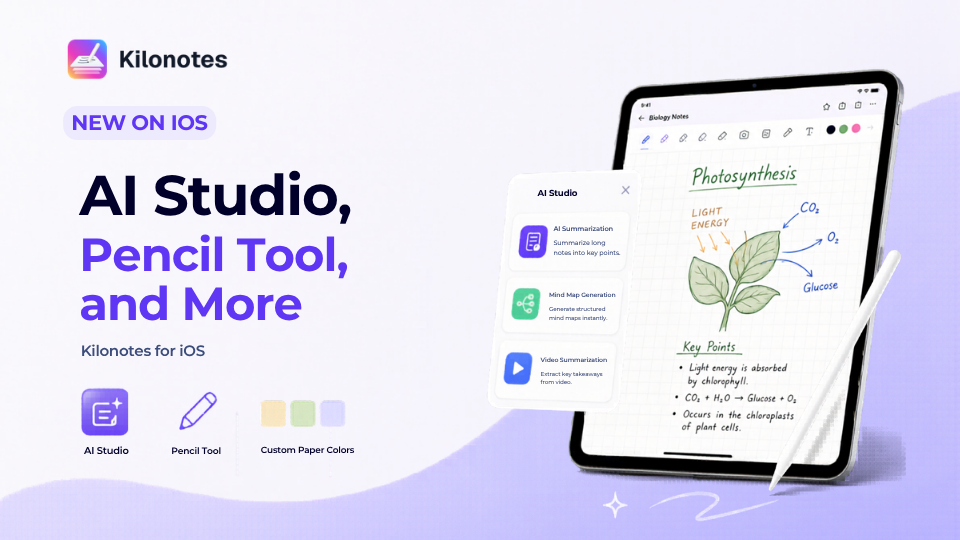
AI summarization, mind map generation, and video summarization are now available in AI Assistant. To access them, open AI Assistant and tap AI Studio.
These tools are designed to help you move from raw material to something clearer and easier to study from. If you are working through long notes or dense content, AI summarization helps pull out the main ideas faster. If you want to see how ideas connect, mind map generation gives you a more visual structure. If you are studying from recorded lessons or video content, video summarization helps you get to the important points sooner.
For students, this matters because it cuts down the time between capture and review. Instead of sitting with messy input and figuring everything out from scratch, you can get to the key points and structure much faster. That aligns closely with the Kilonotes positioning around AI-supported study workflows and turning raw class input into clearer, study-ready notes.
If you want more on that side of the workflow, you can also read our guide to the best AI notes app for students
AI Assistant content can now go straight into notes or flashcards
Another major improvement on iOS is what you can do with AI output after it is generated.
Content created by the AI Assistant can now be directly added to your notes or turned into flashcards. So if you use AI to summarize a topic, break down a concept, or organize class material, you can now move that content into your study flow much faster.
That means less copying, less switching back and forth, and a smoother path from idea to review material.
It is especially useful when you want to turn class content into something you can revise right away, whether that is a cleaner note page or a flashcard set for quick recall. This also supports the Kilonotes promise of less rewriting and better revision.
A new pencil tool has been added to the pen selection
This update also adds a new writing option on iOS.
The new addition is a pencil tool, now available alongside the ballpoint pen, gel pen, highlighter pen, and calligraphy pen.
That gives you more control over how your notes feel on the page. Some people prefer cleaner pen strokes for headings and key points. Others like a softer pencil texture for drafting, sketching, or more natural handwritten notes.
It is a small change, but if you write by hand often, it makes the whole experience feel more flexible and more personal. And because handwriting is such a central part of the Kilonotes product story, that kind of flexibility matters.
If handwriting is one of the main reasons you use Kilonotes, you can also explore handwriting to text to see how handwritten pages can fit into a more flexible study workflow.
Templates and stickers can now be viewed and downloaded in the store
If you love building aesthetic notes on iPad, this update should make that process easier.
Templates and stickers can now be viewed and downloaded directly in the store, so it is easier to browse what you want before adding it to your pages.
That means less guesswork and a smoother way to personalize your notebooks. It also makes it easier to build pages that feel clean and motivating without interrupting your flow.
Kilonotes has always worked best when aesthetics support clarity, not when they get in the way of studying. This update makes that balance easier to keep.
Custom paper colors are now supported for members
This was one of the features users had been asking for, and it is now supported on iOS.
Custom paper color is now available for members, giving you more freedom to set up pages that match your own style and study system.
If you like using different tones for different subjects, building a calmer notebook layout, or just making your notes feel more like yours, this gives you more room to do that from the start.
It is a customization feature, but it also helps with consistency. When your pages feel more visually organized, they are often easier to come back to later.
Justify alignment is now supported
Another requested feature is now here on iOS too.
Justify alignment is now supported, which means typed content can look cleaner and more polished on the page. This is especially useful when you are turning rough notes into clearer study material or building more structured review pages.
If you want your notes to look neat without having to fix every paragraph manually, this should make that easier.
Mind map language confusion has been improved
We also made improvements based on previously reported feedback.
If you had run into language confusion in mind map, optimizations have now been made on iOS to improve that experience. Mind maps should now feel smoother and more reliable when you use them to organize ideas and see the structure of a topic more clearly.
It is one of those quieter updates that can make a big difference when you rely on visual structure to study.
A better iOS workflow from writing to review
Taken together, these updates make Kilonotes on iOS feel smoother across the whole study process.
You can write more naturally with the new pencil tool. You can customize your pages more easily with store previews, downloads, and custom paper colors. You can keep typed notes looking cleaner with justify alignment. And with the new AI Studio tools, you now have more ways to move from messy material to a recap, a mind map, or a clearer study flow.
That is what makes this update feel strong. It is not just a list of new features. It is a better flow from writing to understanding to review. That is also the core Kilonotes story: helping students turn lectures, handwriting, and study materials into notes they can actually use.
If you are new to Kilonotes, you can also check out our guide to the best note-taking app for students or explore the app on the App Store.